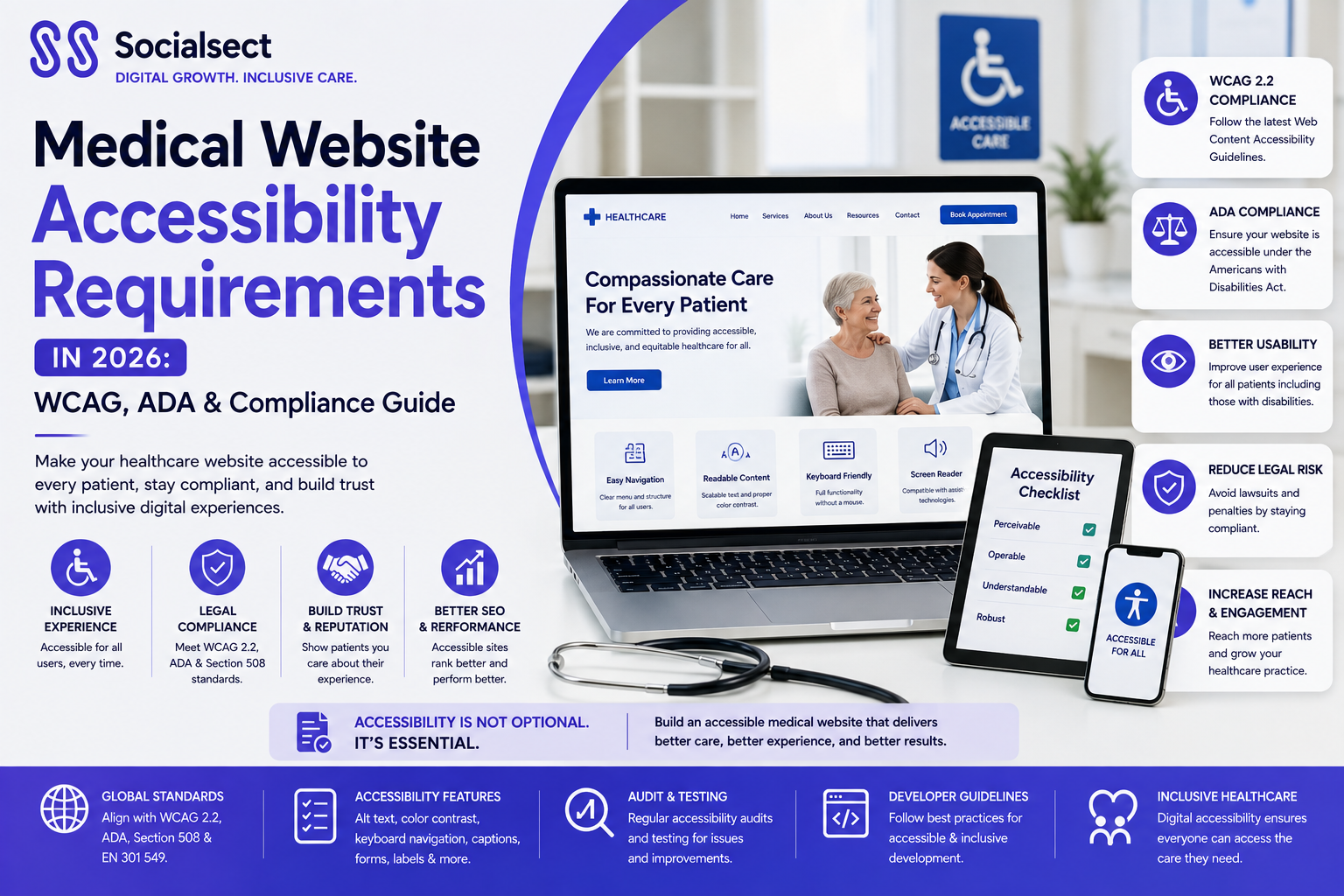
Healthcare websites are often the first point of contact between a patient and a medical practice. Patients use them to find doctors, understand treatments, request appointments, complete forms, access health information and communicate with healthcare providers. If a website is difficult or impossible to use because of a disability, that digital barrier can affect both patient access and the practice's ability to deliver an inclusive online experience.
In 2026, medical website accessibility is also receiving increased attention because of federal accessibility requirements affecting certain organizations that receive financial assistance from the U.S. Department of Health and Human Services (HHS).
HHS has adopted WCAG 2.1 Level AA as the technical standard for web content and mobile applications covered by its Section 504 rule. HHS announced in May 2026 that the compliance deadlines were extended by one year: recipients with 15 or more employees now have until May 11, 2027, while recipients with fewer than 15 employees have until May 10, 2028.
For medical practices, accessibility should therefore be viewed not simply as a technical issue, but as part of website quality, patient experience and digital strategy.
What Are the New Accessibility Requirements for Medical Websites?
The HHS Section 504 rule establishes accessibility requirements for web content and mobile applications provided by organizations that receive HHS financial assistance, subject to the rule's scope and exceptions. The technical standard is WCAG 2.1 Level AA.
This does not mean that every medical website is automatically subject to the same federal requirement. Applicability depends on factors including whether the organization is a recipient of federal financial assistance. Practices should assess their individual circumstances rather than assuming that a particular deadline applies to them.
Why Medical Website Accessibility Matters in 2026
An accessible website allows patients with disabilities to independently find information and interact with essential features.
For a medical practice, that can include:
- Finding physician information
- Reading treatment and service pages
- Navigating menus
- Completing contact forms
- Requesting appointments
- Watching educational videos
- Downloading documents
- Using the website on mobile devices
Accessibility also benefits users beyond people with permanent disabilities. Older patients, people with temporary injuries, users with limited vision and patients navigating websites in difficult environments can all benefit from clearer and more usable digital experiences.
What WCAG 2.1 Level AA Means for Healthcare Websites
WCAG, or the Web Content Accessibility Guidelines, is developed by the World Wide Web Consortium (W3C). WCAG 2.1 organizes accessibility around four principles: Perceivable, Operable, Understandable and Robust.
Level AA includes the Level A and Level AA success criteria. It addresses issues such as keyboard access, contrast, navigation, text alternatives, forms and compatibility with assistive technologies.
Medical Website Accessibility Checklist
A medical practice website should be reviewed across its content, design, code, forms, third-party tools and mobile experience.
Accessible Navigation and Headings
Patients should be able to navigate the website without relying exclusively on a mouse. Menus, buttons, links and interactive components should have a logical focus order and usable keyboard controls.
Headings should also follow a meaningful hierarchy. A page should have a clear primary heading followed by appropriate subheadings rather than using heading tags simply for visual styling.
Images, Alt Text and Colour Contrast
Images that communicate information should have appropriate alternative text so that the information can be understood through assistive technology.
Medical websites should also provide sufficient contrast between text and backgrounds and should not rely on colour alone to communicate important information. WCAG includes specific requirements covering text alternatives, colour and visual presentation.
Accessible Medical Forms and Appointment Scheduling
Forms are particularly important for healthcare websites because they often collect appointment requests, contact information and other patient details.
Form fields should have clear labels, instructions and error messages. Patients should be able to complete the process using a keyboard and understand what needs to be corrected when an error occurs.
The same principle applies to online scheduling systems. A beautiful appointment interface is not useful if patients using assistive technology cannot select a date, choose a provider or submit the appointment request.
Keyboard and Screen Reader Accessibility
Some patients navigate websites using keyboards, screen readers or other assistive technologies.
Interactive elements need meaningful names, appropriate states and reliable keyboard functionality. WCAG's robust principle also emphasizes compatibility with user agents and assistive technologies.
Videos, PDFs and Other Media
Healthcare practices increasingly publish educational videos, downloadable guides and treatment documents.
Videos may require captions and transcripts, while downloadable documents should also be reviewed for accessibility. Accessibility should therefore extend beyond the main HTML pages to the broader digital experience.
Mobile Accessibility
Medical websites must also work effectively on smartphones and tablets. WCAG 2.1 includes criteria addressing mobile-related accessibility, including orientation, reflow and non-text contrast.
Patients should not have to zoom excessively, scroll in multiple directions or struggle with small touch targets simply to request an appointment.
How to Make a Medical Website Accessible
Accessibility should be approached as a structured website improvement process rather than a last-minute compliance exercise.
1. Conduct an Accessibility Audit
Start by evaluating the website against applicable WCAG requirements. Review important templates, service pages, physician profiles, forms, appointment systems, documents and third-party components.
Automated testing can identify many common issues, but it should not be the only testing method.
2. Identify and Prioritize Accessibility Issues
Not every issue has the same effect on patients. Prioritize barriers that prevent users from navigating the website, understanding information or completing important actions.
For a medical practice, inaccessible appointment forms and contact systems should receive particular attention.
3. Fix Website Design, Content and Code
Accessibility improvements may require changes to HTML, CSS, JavaScript, templates, content and website components.
Developers should use semantic HTML and accessible interface patterns rather than attempting to solve every problem through visual adjustments alone.
4. Test With Assistive Technologies
Manual testing can reveal problems automated scanners miss. Keyboard navigation, screen-reader compatibility, forms, menus, pop-ups and appointment workflows should all be tested.
5. Monitor Accessibility After Updates
Accessibility is not a one-time project. New blog posts, images, PDFs, landing pages, plugins, scheduling systems and website redesigns can introduce new barriers.
Practices should include accessibility checks within their ongoing website maintenance process.
Common Medical Website Accessibility Problems
Many healthcare websites have accessibility issues in areas that are also important for patient conversion.
Inaccessible Forms and Booking Systems
Forms may lack labels, provide unclear error messages or contain controls that cannot be operated with a keyboard.
Poor Colour Contrast and Readability
Light text, low-contrast buttons and overly small typography can make important healthcare information difficult to read.
Missing Alt Text and Incorrect Headings
Images without useful alternatives and poorly structured headings can create problems for users relying on assistive technologies.
Keyboard Navigation Problems
If users cannot reach menus, buttons, forms or appointment tools using a keyboard, essential functionality may be inaccessible.
Inaccessible PDFs and Videos
Medical practices sometimes overlook documents and multimedia when improving their main website. Accessibility needs to be considered across the entire digital experience.
Medical Website Accessibility, SEO and Patient Experience
Accessibility and SEO are not the same thing, and accessibility compliance should not be presented as a direct Google ranking guarantee.
However, many accessibility practices overlap with strong website development and user experience principles.
Clear headings create better content structure. Descriptive links improve navigation. Alt text provides context for relevant images. Semantic HTML helps browsers and assistive technologies interpret content. Responsive design improves usability across devices.
For healthcare organizations, the biggest benefit is often the patient experience.
A patient who can quickly understand a service page, navigate to the right physician and complete an appointment request without unnecessary friction has a better digital journey.
That makes accessibility relevant not only to compliance, but also to medical website design, SEO, usability and conversion optimization.
Make Medical Website Accessibility Part of Your Digital Strategy
Medical website accessibility is becoming an increasingly important part of healthcare website development. For practices affected by the HHS Section 504 requirements, understanding WCAG 2.1 Level AA and addressing accessibility issues should be treated as a structured website initiative rather than a last-minute technical fix.
Even when a specific federal requirement does not apply, creating an accessible website can help more patients find information, navigate services and complete important actions online.
SocialSect helps healthcare organizations build, optimize and grow digital experiences through healthcare website development, SEO, content strategy and performance marketing. A strong medical website should not only attract patients—it should provide an accessible and usable experience for them.
Note: This article provides general educational information, not legal advice. Healthcare organizations should consult qualified legal or accessibility professionals to determine the requirements that apply to their specific circumstances.